I chose the wrong doors for my game, I needed side doors and not front doors, so I used these that were inside. I have not deleted the previous ones, because I may use them later on.

I chose the wrong doors for my game, I needed side doors and not front doors, so I used these that were inside. I have not deleted the previous ones, because I may use them later on.

The image above is a slightly modified version of the doors I received. The problem I had with the sprite sheets I received were they were not specifically made for UE4, so I had to remove the background they added, extract the assets I wanted to another Photoshop file and then import them into UE4 and figure out the door pixel by pixel size. Add them into the extract asset coordinates and then I had the assets:
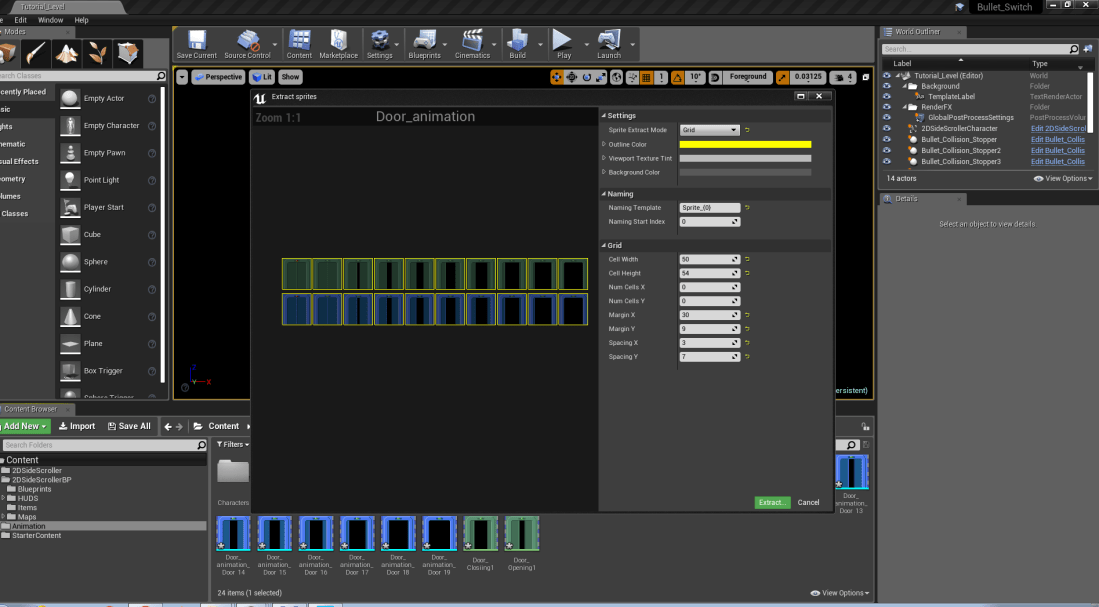
I have went back to the beginning of the game and thought again how the starting level should be and how it should progress. I originally was scared that if I went too slow and didn’t include enough puzzle mechanics on level 1, then the player would lose interest and leave, but again it seems to be the opposite.
I didn’t think I included too much, but after having a conversation with someone, I realised that I was still going through mechanics too quickly, even though I thought introducing a new mechanic every 5 to 10 levels was a good pace, until I had a good variety of mechanics, but now I noticed that was way too fast. This was mainly my own fault for giving myself a small goal of 20 puzzles.
The biggest problem I still having and is hard too stop is being too creative and eager to create new mechanics, which makes it hard not to add in a new mechanic or idea I have in my head, especially if I think it will benefit the game massively.
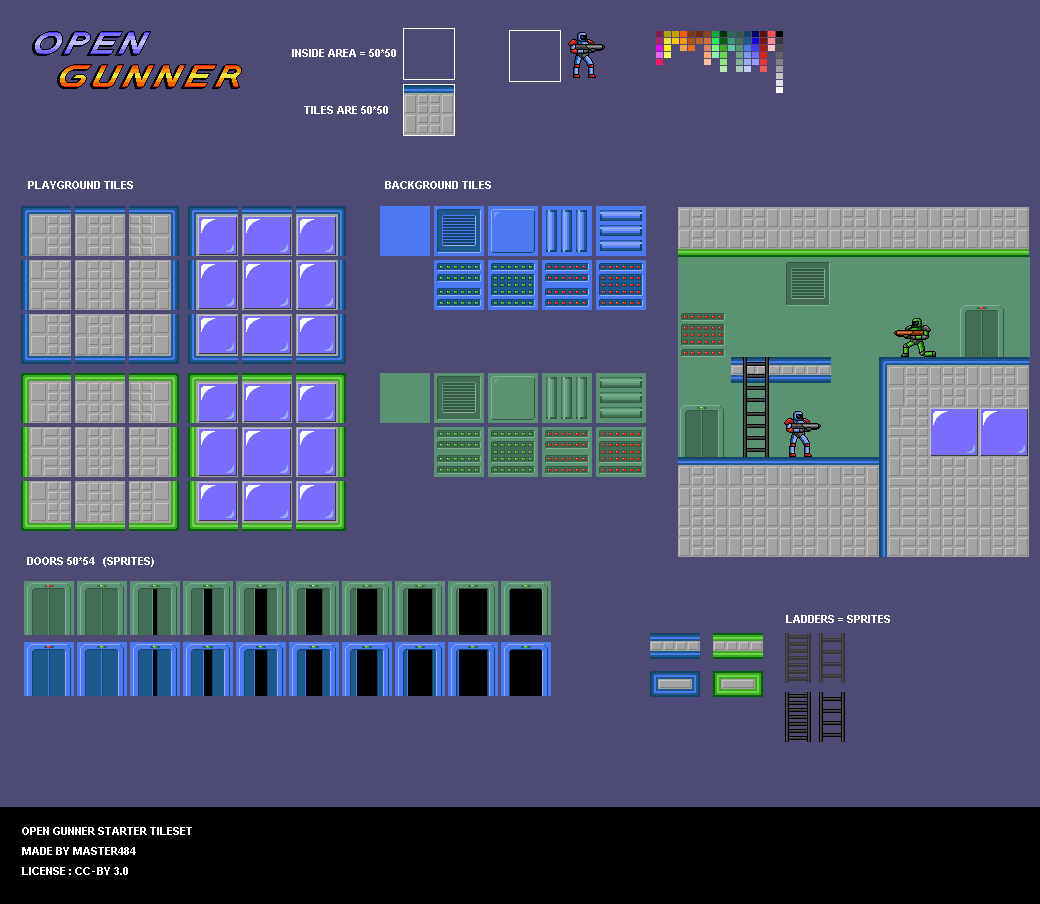
I will be using this tileset and other tiles that have been made by Master484 on OpenGamerArt.com, this is the link to the webpage: tileset and other sprites page.
I chose to use these because, it would have taken me a while to do these myself, they are good graphics and they fit the original theme I had in my head, which was sci-fi.
I watch this video for my analysis: Super Meat Boy analysis

Super Meat Boy is a game made by an indie team, which utilities its mechanics extremely well. I chose this to analyses, because it will help me to fit what my purpose of my game is about; utilizing mechanics efficiently.
Super Meat Boy uses the same tools over and over again, creating something new with them, which seems to excite the player, which therefore means it is a symptom of good game design.
Super Meat Boy reuses levels or sections from previous levels, but adds in a twist to make it feel different and unique. In these levels it uses failure as a learning tool to teach the player what they did wrong without saying a word.
According to the person in the analysis video, a good game should feel satisfying and creative with its layout and not just be there to be there. This game exhibits theses traits, which makes it a good game, because it feels satisfying to play the game over and over again.
I did a quick exploration of how I can disable and enable a controller on a player:
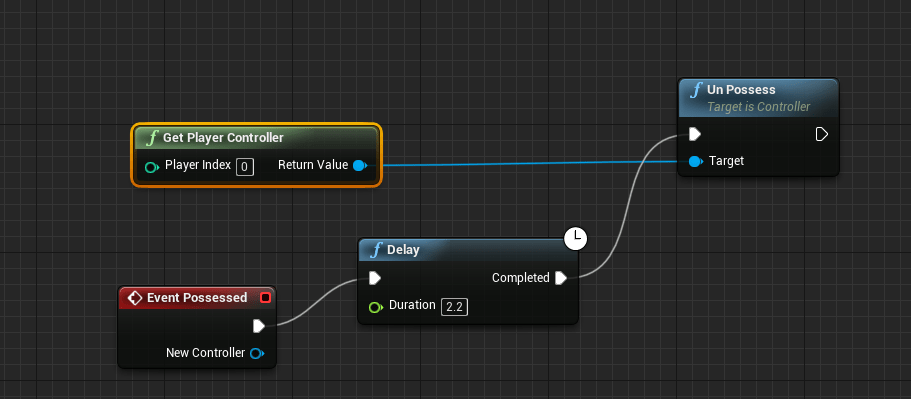
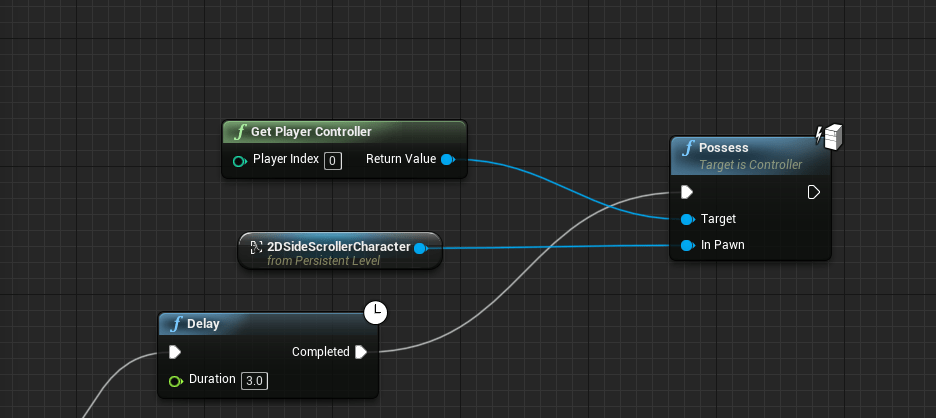
I didn’t need to do this, at least at this moment in time, but I did it, because I wanted to figure out how I could do this if I wanted to disable movement or any controller input when in menu. I may not need to use this, but it is still useful to know.
After trail and error from this tutorial: tutorial link. I eventually gave up trying to get it to work and started from scratch using this as a learning tool: tutorial link.
I got this working using my only knowledge and common sense to make this working:


The incorrect version was this:


They both fired projectiles at the cursor, but the incorrect one had bugs and errors in, ending up it shooting in the wrong direction 90% of the time. The difference between the two tutorials was, one was done in a custom controller, which I didn’t want to make for one feature and the other was self made by me with help from the WTF is ConvertMouseLocationtoWorldSpace tutorial.
Summary
I got what I planned to produce, but not originally and now have an idea for a debuff. I still need to destroy the bullets on wall collisions, but apart from that, I am happy with what I produced with these tutorials.
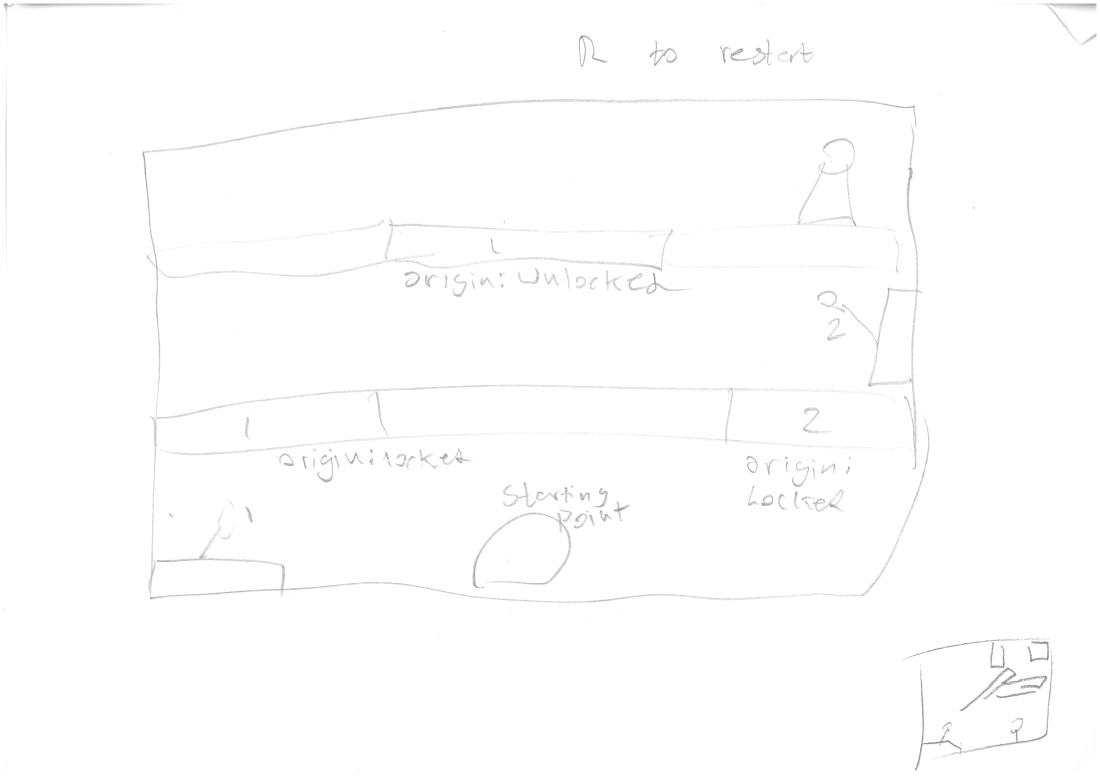
The above slideshow is the concepts I made for level designs for my game, which I might implement. I made these over the weekend, while I didn’t have access to UE4.
Here is an example of one of the puzzles without the solution. Please not that the user won’t know what each switch the door connected to.

The basic mechanics and controls have been achieved and I have mostly achieved what I set out to do. I wish the shooting feature took less time, but it is extremely accurate now and am happy with that. I have not destroyed bullets on wall collision, but that can be simply fixed.
The graphics are not great, because I was focusing on making the game over graphics. Once I have finish the first level completely, then I will apply better graphics to make the game more understandable.
I have been trying to get the shoot at mouse location to work, but I can’t get it working just yet, so I am currently going to disable it and I may add it back in, if and only if I can get it working properly for a 2D game and not a 3D game.
I am going to focus more on puzzles that don’t have a shoot on mouse location activated, but if I get the shoot on mouse location working, then I would start making puzzles that would utilise the mechanic.
 Game Growth