Update FMP: New Mechanic

The new mechanic in question here is a crouch look down mechanic (left image above). This mechanic is a simplistic and common add-on to the controller (code for mechanic is on the right).

The crouch look down mechanic allows the player to look below them by holding down a key, which is the down key or the S key in this situation. This gives the player an advantage by allowing them to see what is below them.

This mechanic does have some disadvantages, which is:

  • Player can get frustrated – If the player accidentally hit the crouch key, they could get cheap-shoot by an enemy that they were keeping their eye on.


  • More code/scripting for ladders and other mechanics requiring the down key – By including a crouch mechanic, the amount of code needed to add in another mechanic like climbing ladders can. This is because, you will need a way to switch between modes and use that to tell the game what to do and what not to do.


The reason I added this in was because I wanted the player to be able see where the switch was below them in certain areas, but I didn’t want the switch in the same position, because I wanted the player to utilize the shoot at mouse location controller mechanic I implemented, by shooting at angle shots.


Summary

I am happy with the new mechanic I implemented, because it has allowed me to do something I wanted to do, which was certain areas, which allow the player to see the puzzle, so they can solve it; Meaning a memory and precision puzzle.

I will try not to waste this mechanic and use it to its fullest potential.

Concept FMP: New level designs

This slideshow requires JavaScript.

While I have been working on my project, I have also been creating designs for levels. Some of the designs I have done hasn’t been implemented into the game and that was by choice and not accidental. I may include these designs into my game, but like the last one, it is not guaranteed to be added in. The reason I am not adding some of the level designs in is because, if I added in every design I had in my head, then the game would be either to fast, too slow or just confusing. I do need to be careful about what levels I don’t include though.


Summary

I am happy with the designs I came up with and am looking forward to implementing some into the game. I am going to keep testing every level, so that I know there is no exploits or none detectable, the levels are fun, the levels difficulty doesn’t go backwards and doesn’t spike up, unless I think it is necessary to do so, like adding in a mechanic, I will need to go back a few steps.

Feedback FMP: Levels 1-6 reviewed

Feedback1.jpg

With this feedback in mind, I changed level 3 to be more different. The problem I was having here is, that the levels were too similar, which means I slowed down the pace too little, these were the 2 levels side by side:

Looking at these now, I do see that they were too similar. In my mind they were different, because the puzzle worked slightly differently, but in practice it was too similar. Anyway here is the fixed version of the level:

Level_3_look_revamped

This had the same layout as the last, but just by moving the doors, they look better and more different.


Summary

I am happy I got feedback at this current stage, because it showed me that I was doing something wrong, which I didn’t notice I was doing wrong and will now be more aware of my mistakes in the future.

Update FMP: New Levels and Other Improvements

This slideshow requires JavaScript.

Level 3-6 has been completed. The levels look quite appealing to me and I am extremely proud of the results.

The other following has change:

  • Camera range – I have zoomed it out by about 50% so I can add another game mechanic in, which is blind fire.
  • Blind fire – First they see the puzzle and then they have to remember where the switch was.
  • Music – I gathered music from this webpage, Have a look at the free music.
  • Sound effects – I have applied some sound effects to the character and obstacles, this is to make the experience more enjoyable. These are the links I got the sound from: Link 1 Link 2 Link 3 Link 4. I did edit one in Adobe Premier, because it didn’t fit my needs.
  • Loading screen – To let the game build itself before handing the controls to the player. Doesn’t actually do that, it just shows a loading screen for a little bit before giving access to the player.


Summary

I am happy with what I produced today and even though a few things I could do better, mainly the loading screen. I will be focusing on creating more levels on Thursday, unless I need to do something else.

Feedback FMP: Loading Screen

Loading

The feedback I got for this loading screen was, that it mad the game feel better, but the look of it was not fitting for my game, meaning that it was useful to include one, because it looks better, but the design wasn’t fitting.

I am currently not going to improved the loading screen, but I will have it in my mind to do it at some point.

Update FMP: Added Loading Screen

Loading.png

It is nothing special what I did and I didn’t achieve what I went for. I wanted a loading screen that would wait until everything in the level is loaded, which I don’t think any of the tutorials I watched did: Link 1 Link 2

I knew how to do that already, so I just made them, but I allowed the loading screen to appear at the start of a level. This would allow the game to build some of the level before loading. I chose a delay of 1s, because the levels were rather small.

I forgot how to disable movement, so I watched this to relearn the node: Disable input UE4


Summary

I am somewhat happy with the result, but I wished I figured out a better solution. I originally tried to make references of the objects and check them, but because they have duplicates it froze the game. This is the end result I had:

Loading screen

Problem FMP: Objects Lost Texture in Gameplay


The screenshots above are the screenshots of before and after problem solution. The problem was that the actors were showing up black without textures. This was due to no lighting, because the lighting was removed.


I went to Piskel and created two sprites, 1 16 x 3 bit for the laser, because it was using a static mesh and 1 50 x 50 bit sprite for the finish goal, this will be used for the level transition.


Summary

I am glad with the result, I tried to make the orb fit the environment and I think I did a reasonable job, but that’s not for me to say, it’s for the player.

Problem and Solution FMP: Sprites not extracting UE4

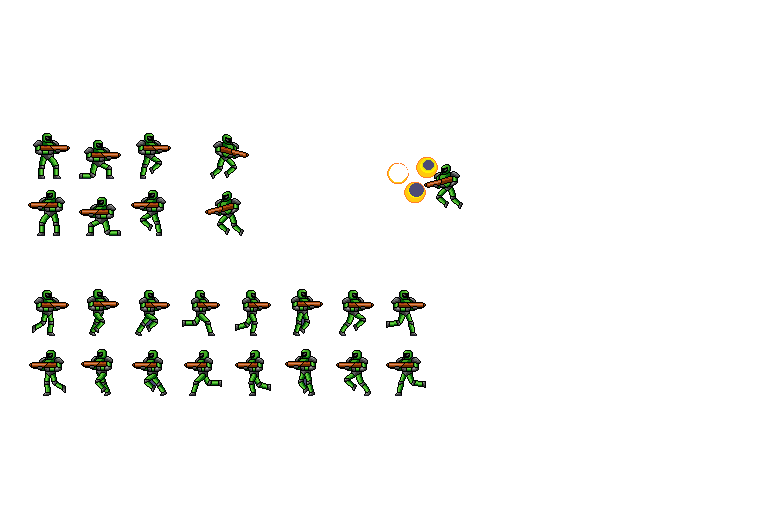
OpenGunnerEnemySoldier (2)Working player extract fail

The images above show the problem I was having; the sprites weren’t automatically extracting.

The problem was that the colours in the background and the extra lines were blocking the engine algorithm from extracting the sprites.

The solution to this was to remove everything, but the sprites itself. This was done using the selection tool and magic wand without anti-alias on, because it selected the black outline, which would make them look blurry in UE4, from what I have experienced anyways. Here is what it was a post to do:

OpenGunnerEnemySoldierReadyWorking player extract

Review FMP: Redungeon

Redungeon

I chose to play this game, because I remember enjoying it a lot before and it was a puzzle game. I watch a tutorial to see how random generation worked in a game and then thought maybe I could add in a endless mode in my game, which made me decide to revisit this Redungeon, This is the tutorial I watched: How to generate a course

After playing it for a few hours I have realised how it used its puzzles to teach the player how to solve each. Every puzzle isn’t obvious at the start, but dying to it shows you how it works, for example: Ice on the floor, this originally may be seen as a automatic movement towards an object, but on failure you notice it is an instant move, but can die with traps.

The pace of the game is done strategically well. It starts off really slow and then picks up the pace, which allows the player to understand how each puzzle works and then challenges them by introducing them randomly but at a high pace. If the game gets boring at this point, not much longer, a new puzzle gets added in to the mix, giving challenge again.

To make the player keep wanting to play the game, they added in an upgrade system, which gives you abilities, so you can survive further. This is common practice, but is still good to include into most full games.


Summary

From playing this game I have learnt knowledge of what types of puzzles are good to include in an endless puzzle solver type of game and am thinking about if I should include it into my game or not? I am thinking of not including it into this project, but making it a focus for my next project, but only time will tell on what I decide to do.